lazyslide.pp.score_tiles#
- score_tiles(wsi, scorers=None, num_workers=1, pbar=True, tile_key='tiles')#
Score the tiles and filter the tiles based on their quality scores.
Deprecated since version 0.7.2.
- Parameters:
- wsi
WSIData The WSIData object to work on.
- scorersScorer
The scorer object or a callable that takes in an image and returns a score. You can also pass in a string:
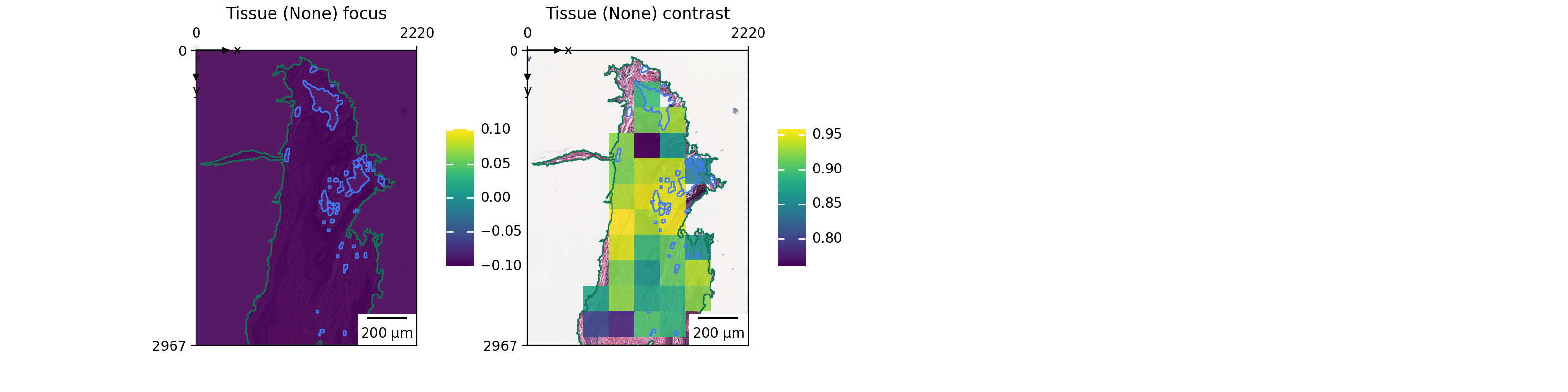
‘focus’: A FocusLite scorer that will score the focus of the image
‘contrast’: A Contrast scorer that will score the contrast of the image
‘brightness’: A Brightness scorer that will score the brightness of the image
‘redness’: A SplitRGB scorer that will score the redness of the image
- num_workersint, default: 1
The number of workers to use.
- pbarbool, default: True
Whether to show the progress bar or not.
- tile_keystr, default: ‘tiles’
The key of the tiles in the shapes slot.
- wsi
- Returns:
- None
Note
The scores will be added to the
tiles | {tile_key}table in the WSIData object. The columns will be named after the scorers, e.g. redness, brightness.
Examples
>>> import lazyslide as zs
>>> wsi = zs.datasets.sample()
>>> zs.pp.find_tissues(wsi)
>>> zs.pp.tile_tissues(wsi, 256, mpp=0.5)
>>> zs.pp.score_tiles(wsi, scorers=["focus", "contrast"])
>>> zs.pl.tiles(wsi, color=["focus", "contrast"])