lazyslide.pp.find_tissues#
- find_tissues(wsi, level='auto', refine_level=None, to_hsv=False, blur_ksize=17, threshold=7, morph_n_iter=3, morph_ksize=7, min_tissue_area=0.001, min_hole_area=1e-05, detect_holes=True, filter_artifacts=True, key_added='tissues')#
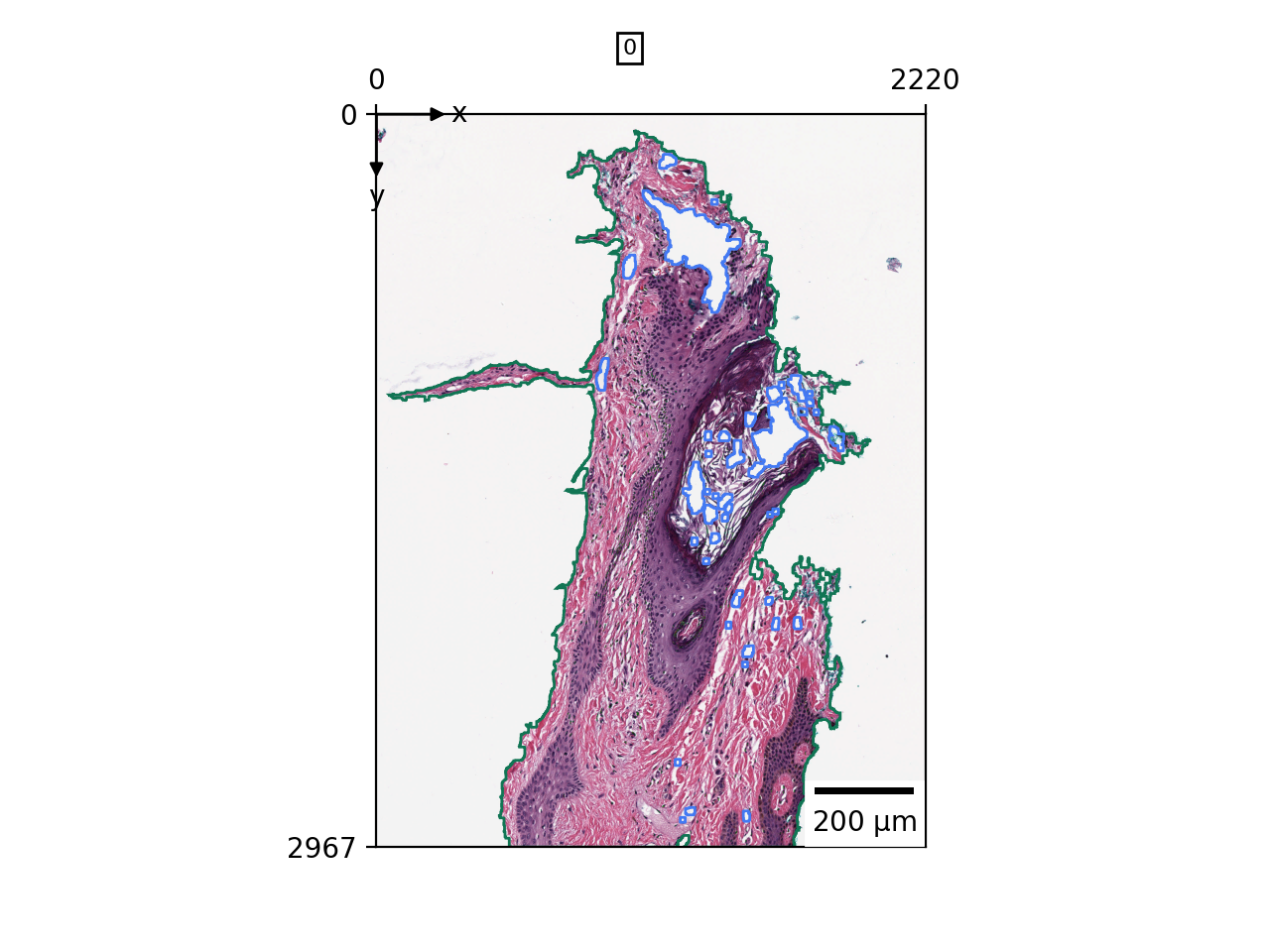
Find tissue regions in the WSI and add them as contours and holes.
Note
The results may not be deterministic between runs, as the segmentation level is automatically decided by the available memory. To get a consistent result, you can set the level parameter to a specific value. Set level=-1 for the lowest resolution level and fastest segmentation speed.
See also
- Parameters:
- wsi
WSIData The WSIData object to work on.
- levelint, default: ‘auto’
The level to use for segmentation.
- refine_levelint or ‘auto’, default: None
The level to refine the tissue polygons.
- to_hsvbool, default: False
The tissue image will be converted from RGB to HSV space, the saturation channel (color purity) will be used for tissue detection.
- blur_ksizeint, default: 17
The kernel size used to apply median blurring.
- thresholdint, default: 7
The threshold for binary thresholding.
- morph_n_iterint, default: 3
The number of iterations of morphological opening and closing to apply.
- morph_ksizeint, default: 7
The kernel size for morphological opening and closing.
- min_tissue_areafloat, default: 1e-3
The minimum area of tissue.
- min_hole_areafloat, default: 1e-5
The minimum area of holes.
- detect_holesbool, default: True
Detect holes in tissue regions.
- filter_artifactsbool, default: True
Filter artifacts out. Artifacts that are non-redish are removed.
- key_addedstr, default: ‘tissues’
The key to save the result in the WSIData object.
- wsi
- Returns:
GeoDataFrameThe tissues dataframe, with columns of
tissue_idandgeometry. Added to shapes.
Examples
>>> import lazyslide as zs
>>> wsi = zs.datasets.sample(with_data=False)
>>> zs.pp.find_tissues(wsi)
>>> zs.pl.tissue(wsi)